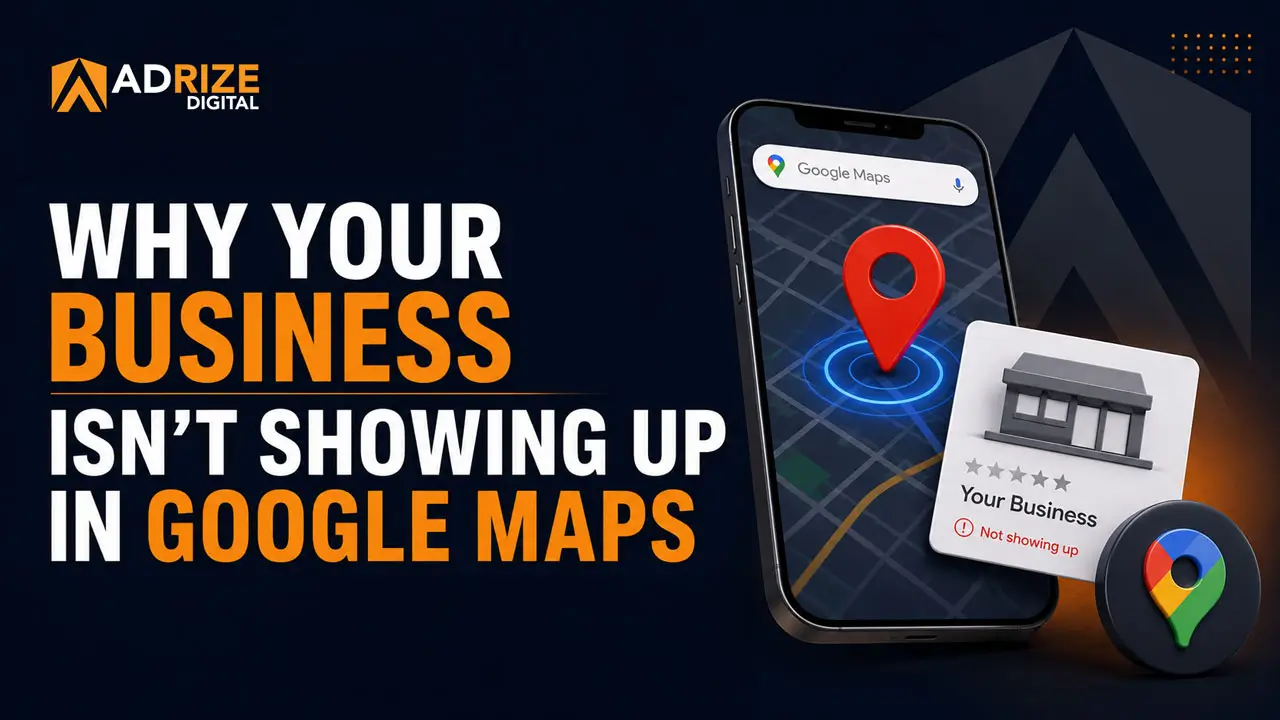
You searched for your own business on Google. Maybe you typed in the service you offer and your city. Maybe you looked up exactly what your customers would type. And your business didn’t show up. Or it showed up buried so far down the list that no one’s ever going to see it.
That’s a real problem. Not a technical nuisance. A real, revenue-affecting problem.
Google Maps visibility is where local business is won or lost in 2026. Businesses that appear in the Google Local Pack (the top three results that show up on the map) earn 126% more traffic and 93% more conversion actions (calls, direction requests, website clicks) than businesses ranked below them. That’s not a minor edge. That’s a completely different business outcome.
If you’re not showing up, someone else is. And they’re getting the call you should have gotten.
This article breaks down exactly why your business isn’t showing up in Google Maps, and what it actually takes to fix it. No vague tips. No recycled advice. Just a clear picture of what’s broken and what to do about it.
How Google Maps Actually Ranks Businesses
Before you can fix the problem, you need to understand how Google decides who shows up.
According to Google’s own documentation, local results are ranked based on three core factors:
- Relevance: Does your profile clearly match what the person searched for?
- Distance: How close is your business to the searcher (or the location they specified)?
- Prominence: How well-known and trusted is your business, both online and offline?
Distance is the one factor you can’t control. If someone is searching across town, proximity works against you. But relevance and prominence? Those are almost entirely within your control. Most local businesses are leaving both on the table.
What’s worth noting is that proximity accounts for only about 15% of your Google Maps ranking. That means the other 85% is determined by things you can actually do something about. The business down the street isn’t outranking you because of where they’re located. They’re outranking you because their profile is better optimized and their online presence is stronger.
Here’s where most local businesses fall short.
Reason #1: Your Google Business Profile Is Incomplete or Ignored
Your Google Business Profile (GBP) is the engine behind your Google Maps visibility. If it’s incomplete, outdated, or unverified, you’re working against yourself before you’ve even started.
Google has confirmed this directly: customers are 2.7 times more likely to consider a business reputable when they find a complete Business Profile on Google Search and Maps. They’re also 70% more likely to visit and 50% more likely to consider purchasing from a business with a complete profile.
A lot of businesses have a profile that exists but doesn’t work. They claimed it years ago, added a phone number and address, and moved on. That’s not enough anymore.
A complete, high-performing Google Business Profile includes:
- A verified business name, address, and phone number that match your website exactly
- Correct primary and secondary business categories
- A well-written business description with relevant keywords
- Complete service listings with descriptions
- Up-to-date business hours (including holiday hours)
- High-quality photos of your business, team, and work
- Regular Google Posts (more on this below)
- Answers to Q&A questions
- A steady stream of recent reviews
If any of those are missing or out of date, your Google Maps visibility is going to suffer. We cover GBP optimization in detail in our post on why your Google Business Profile is your most valuable free marketing tool. It’s a good starting point if you haven’t read it.
Reason #2: Your Business Information Is Inconsistent Online
NAP stands for Name, Address, and Phone Number. It sounds simple. It causes serious problems for more businesses than you’d think.
Google cross-references your business information across dozens of sources: your website, Yelp, Apple Maps, Facebook, industry directories, data aggregators, and more. When that information doesn’t match, Google loses confidence in your listing. And when Google loses confidence, your rankings drop.
62% of consumers would avoid using a business if they found incorrect information about them online. So it’s not just a ranking problem. It’s a trust problem.
Common NAP issues we see all the time:
- “Suite B” on your website but “Ste. B” on Yelp
- An old phone number still showing on a directory you forgot about
- A former business name still listed somewhere online
- Your address listed slightly differently across platforms
Every inconsistency is a signal to Google that something might be off. Enough of those signals and your Maps visibility takes the hit.
We wrote a full breakdown of this in our post on NAP consistency for local SEO. It’s one of the most overlooked fixes in local search, and it’s more impactful than most business owners realize.
Reason #3: You Don’t Have Enough Reviews (or Recent Ones)
Reviews are one of the most powerful signals in local search. They affect both your ranking in Google Maps and the likelihood that someone actually clicks on your listing and calls you.
Here’s a number that should get your attention: 47% of consumers won’t use a business that has fewer than 20 reviews. Nearly half your potential customers are filtering you out before they ever reach your website or call your number. That decision is based entirely on your review count.
And it’s not just how many reviews you have. It’s how recent they are. A business with 15 reviews from this year will often outperform a competitor with 80 reviews from three years ago. Google wants to show searchers businesses that are actively serving customers right now. Review recency is one of the top five ranking signals in local search.
There’s another layer most people miss: the keywords inside your reviews. When a customer writes “best painter in Newport News” or “called for an emergency plumbing repair on a Saturday,” Google indexes those words. That is what connects your listing to specific searches. Reviews that just say “great service!” don’t help your rankings much at all.
The fix isn’t complicated. Ask every satisfied customer for a review. Use a QR code at your front desk or on a receipt. Send a follow-up text after a job is complete. If you’re consistent about it, the reviews follow.
Reason #4: You’re Using the Wrong Business Categories
Your primary business category in Google Business Profile is one of the most important relevance signals you have. It directly tells Google what you do, and which searches should trigger your listing.
Most business owners pick a category when they first set up their profile and never revisit it. The problem is that Google has hundreds of specific categories, and choosing a broad one when a specific one exists can quietly kill your Maps visibility for the exact searches you want to rank for.
For example: if you’re a residential painter, your primary category should be “Painter.” Not “Home Improvement Contractor” or “Painting” (which may refer to fine art). If you’re an electrician who specializes in residential work, “Electrician” is your category. If you also do commercial, you can add secondary categories.
Secondary categories matter too. You can add multiple, and they expand the range of searches that can surface your listing. A roofing contractor might use “Roofing Contractor” as primary and add “Gutter Cleaning Service” or “Siding Contractor” as secondary categories if those are services they actually offer.
Check your categories. Then check what your top-ranking competitors are using. That comparison alone will often reveal exactly where you’re losing ground.
Reason #5: Your Website Isn’t Backing Up Your Local Presence
Google Maps visibility doesn’t exist in a vacuum. Your website plays a direct role in how well your Google Business Profile ranks.
When Google evaluates your listing, it looks at your website as a credibility signal. A slow, outdated, or poorly structured website weakens your local authority. A clean, fast, properly optimized site reinforces it.
What Google is looking for from your website in a local SEO context:
- Your NAP information displayed clearly (typically in the footer)
- Location-specific pages or content that match your service area
- Page titles and meta descriptions that include local keywords
- Fast load speeds, especially on mobile
- Schema markup that identifies your business type, location, and contact details
- A site that’s secure (HTTPS) and mobile-friendly
If your website was built five years ago and hasn’t been touched since, it may be actively dragging down your local rankings. We cover the signs you need an update in our post on when it’s time for a website redesign.
Your website and your Google Business Profile should work together. When they do, the ranking lift is real. When one is weak, the other suffers for it. If your site needs a rebuild, our website design services are built specifically for local service businesses who need a site that performs, not just one that exists.
Reason #6: You Have No Local Content Signal
Google Maps ranking is tied to relevance. And relevance is about more than just your business categories. Content matters too.
Local content signals include things like:
- Blog posts that mention your city, neighborhood, or service area by name
- Service pages built around specific local keywords (“roofing contractor Newport News VA”)
- Google Posts on your GBP that reference local services or events
- Local citations and backlinks from area businesses, chambers of commerce, or news sites
Most local businesses have none of this. Their website has a home page, an about page, a contact page, and maybe a services page. No location-specific content. No blog. Nothing that tells Google this business is deeply rooted in a particular area and serves specific local customers.
You don’t need to publish ten blog posts a month. But publishing consistent, locally relevant content, even once or twice a month, builds a signal over time that competitors without content simply can’t compete with.
If you’re not sure where to start with local content, our local SEO services include content strategy built around the searches your customers are actually making. And our 2026 local SEO checklist is a practical starting point for understanding everything that goes into local search performance.
Reason #7: Your Profile Is Dead. No Activity, No Posts, No Engagement.
Google rewards businesses that are actively engaged on their platform. An abandoned Google Business Profile, one with no recent posts, no photo updates, no review responses, reads to Google as a business that may not be operating.
This matters more than most business owners think. Google Posts, for example, give you a direct channel to share updates, offers, seasonal services, and announcements. They appear directly on your profile in Search and Maps. They signal to Google that someone is actively managing this listing.
Responding to reviews, both positive and negative, is another engagement signal. Businesses that respond to their reviews consistently send a clear message: someone is here, paying attention, and actively serving customers.
Adding new photos regularly matters too. Google favors profiles with current, high-quality images. Photos with geo-tagged metadata (automatically applied when taken on location) give an additional local signal.
None of this takes hours every week. But it does require consistency. Set a schedule. Post something once a week, respond to new reviews within 24 to 48 hours, and add a few job site photos at the end of each week. Small, consistent actions compound into a profile that looks active and authoritative.
If managing all of this on top of running your business sounds like a lot, that’s exactly why we offer Google Business Profile management as part of our local SEO work. It gets done, every week, without it falling off your plate.
How to Fix Your Google Maps Visibility
Everything above has a fix. None of this is permanent damage. But the path from invisible to ranking in the top three results takes a deliberate, sustained approach. This isn’t a one-time tweak.
Here’s what a real improvement plan looks like:
Step 1: Audit Where You Stand Right Now
Before you change anything, you need to know what’s actually broken. That means auditing your Google Business Profile completeness, checking NAP consistency across major directories, reviewing your current categories, analyzing your review count and recency, and assessing your website’s local SEO signals.
This is exactly what our free Online Visibility Audit is designed to do. We look at the full picture and tell you exactly what’s working, what’s broken, and what matters most to fix first.
Step 2: Clean Up the Foundation
Fix your NAP inconsistencies. Complete every section of your Google Business Profile. Correct your business categories if they’re off. Make sure your website is properly structured for local search. These foundational fixes don’t produce overnight results, but they stop you from actively working against yourself.
Step 3: Build Your Review Momentum
Start asking for reviews today, not next month. Build a simple system: a text message after a job, a QR code on your invoice, a quick ask at the end of a service call. Aim for a steady flow of new reviews every month. Don’t let your review count stall.
Step 4: Get Active on Your Profile
Post to your GBP at least once a week. Respond to every review. Add fresh photos regularly. Treat your Google Business Profile like a channel that deserves consistent attention. In terms of local visibility, it is.
Step 5: Align Your Website with Your Local Goals
Make sure your site is fast, mobile-friendly, and clearly structured around the services and locations you serve. Add location-specific content over time. Build out service pages that match the searches your customers are using. This is where local SEO and website design work together to produce lasting results.
Step 6: Consider Whether Ads Fill the Gap While SEO Builds
Google Maps visibility through organic local SEO takes time, typically three to six months to see meaningful movement in competitive markets. If you need leads now, Google Ads and paid search can put you in front of buyers immediately while your organic presence builds. This is a common approach we use with new clients. Ads bring in leads while the SEO work compounds in the background.
If you’re wondering how to prioritize all of this on a limited budget, our post on digital marketing on a budget breaks down where to focus first.
Get a Free Online Visibility Audit
If you’ve read this far and you’re not sure where your business actually stands, that’s the first thing to figure out. Not every business has the same problem. Some need a complete GBP rebuild. Others just need a review strategy. Some have NAP issues spread across thirty directories. Some need a new website. The fix depends on the diagnosis.
That’s why we offer a free Online Visibility Audit for local businesses in Hampton Roads and beyond. We look at your Google Business Profile, your website, your local citations, your review profile, and your current search visibility. Then we give you a clear picture of where you are and what to prioritize.
No sales pitch. No generic report. Just an honest look at your local digital presence from someone who works in this every day.
Request your free audit at adrizedigital.com/audit and find out exactly why your business isn’t showing up, and what it’ll take to change that.
You can also see what our full range of services looks like, or check out our transparent pricing if you want to understand what working together actually costs before you reach out.
Your customers are searching right now. They just can’t find you yet.